| 4.12. Vend | ||
|---|---|---|

|
4. Transformeringsværktøjer |  |
| 4.12. Vend | ||
|---|---|---|
|
|
4. Transformeringsværktøjer | |
The Flip tool provides the ability to flip layers or selections either horizontally or vertically. When a selection is flipped, a new layer with a Floating Selection is created. You can use this tool to create reflections.
There are different possibilities to activate the tool:
From the main menu: → → .
By clicking the tool icon
 in the Toolbox.
By pressing the Shift+F keyboard shortcut.
Ctrl lets you change the modes between horizontal and vertical flipping.
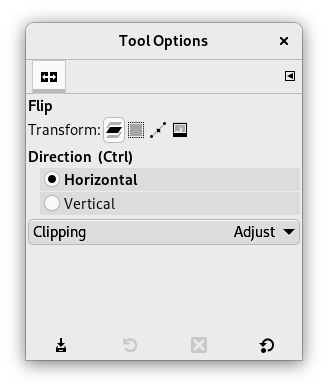
Normalt vises værktøjsindstillingerne i et vindue under Værktøjskassen, så snart du aktiverer et værktøj. Hvis de ikke gør, kan du få adgang til dem fra hovedmenuen via → → , som åbner indstillingsvinduet for det valgte værktøj.
![[Bemærk]](images/note.png)
|
Bemærk |
|---|---|
|
These options are described in Transform tools common options. |
The Tool Toggle settings control flipping in either a Horizontal or Vertical direction. This toggle can also be switched using Ctrl.
|
|
Bemærk |
|---|---|
|
These options are described in Transform tools common options. |