The Colorize filter renders the active layer or selection into a grayscale image seen through a colored glass. You can use it to give a “Sepia” effect to your image. See Renk modeli for Hue, Saturation, Luminosity.
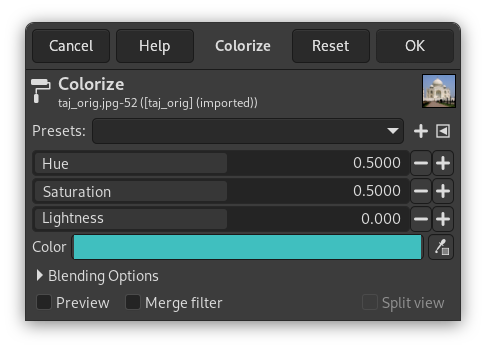
- Önayarlar, Harmanlama Seçenekleri, Ön izleme, Süzgeci birleştir, Bölünmüş görünüm
-
![[Not]](images/note.png)
Not These options are described in Kısım 8.1.2, “Renkler Ortak Özellikler”.
- Renk tonu
-
The slider and the numeric input box allow you to select a Hue value in the range: 0.0 to 1.0.
- Doygunluk
-
The slider and the numeric input box allows you to select a Saturation value in the range: 0.0 to 1.0.
- Açıklık
-
The slider and the numeric input box allow you to select a Lightness value in the range: -1.0 (dark) to +1.0 (light).
- Renk
-
Using the color button or the color picker you can quickly select the color used to colorize your image. Selecting a color here will adjust the sliders above it.


