You can access this submenu from the main menu through → .
These commands change the view only, not on the image itself. If you want to change the image, go to: menuImage - Transform.
This command restores the view of the image to its original state.
Activate:
-
From the menu: → → .
-
Using the shortcut key !.
These commands change the view by flipping the image horizontally or vertically. If one of these is enabled you will see a check mark in front of the command.
Activate:
-
→ → .
-
→ → .
This command rotates the view of the image 15° clockwise.
Activate:
-
From the menu: → → .
This command rotates the view of the image 15° counter-clockwise.
Activate:
-
From the menu: → → .
This command rotates the view of the image 90° clockwise.
Activate:
-
From the menu: → → .
This command rotates the view of the image 90° counter-clockwise.
Activate:
-
From the menu: → → .
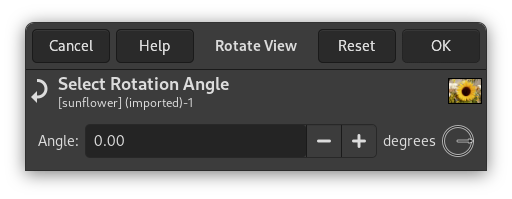
This command opens a dialog that allows you to set the exact angle of rotation for the view. You can set the angle in the numeric input field, or drag the pointer in the circle to the desired angle.
Activate: