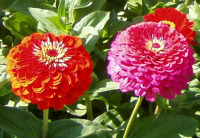
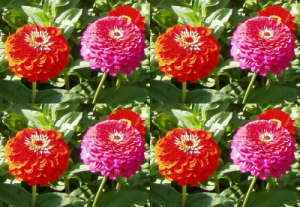
フィルターは画像の等倍もしくは縮小した複製を数枚並べてより大きな画像を作成します。
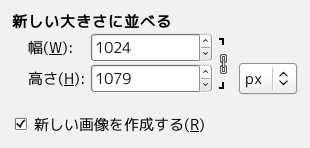
新しい大きさにならべる
- New width, New height
-
Input boxes and their arrow-heads allow you to enter the dimensions for the new image.
新しく作成される画像は元の画像よりも大きくする必要があります。 もしも同じ寸法以下に設定すると元画像の一部が現れるだけになります。 右端や下端に並ぶ画像が切り詰められるのを防ぐには生成される新しい画像の寸法を元画像の整数倍にするとよいでしょう。
By default, New width and New height are linked, indicated by the
 chain symbol below the input boxes. If you want to set them
separately, click on that chain symbol to unlink them.
chain symbol below the input boxes. If you want to set them
separately, click on that chain symbol to unlink them.
- New image
-
Keep this option checked to avoid modifying your original image.


