This filter is used to remove small defects due to dust, or scratches, on a scanned image, and also moiré effects on images scanned from a magazine. You should select isolated defects before applying this filter, in order to avoid unwanted changes in other areas of your image. The filter replaces each pixel with the median value of the pixels within the specified radius.
![[Anmerkung]](images/note.png)
|
Anmerkung |
|---|---|
|
If the image is in indexed mode, this menu entry is disabled. |
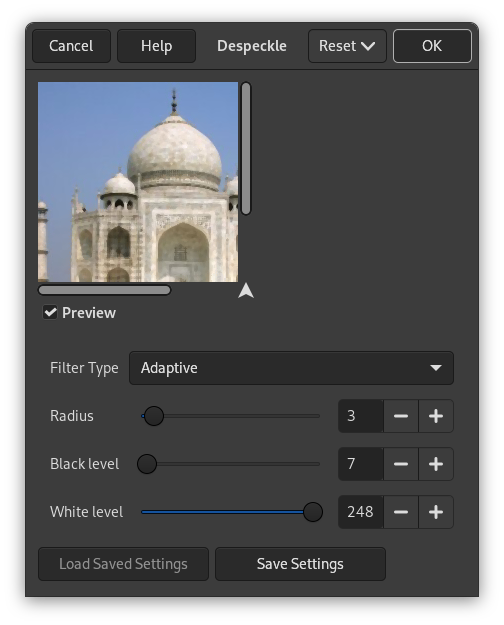
- Vorschau
-
Legt fest, ob die Auswirkungen der Einstellungen unmittelbar in einer Vorschau dargestellt werden.
- Filter Type
-
- Median
-
The median value of the pixels within the set Radius around the target pixel is used to replace the target pixel value.
- Anpassend
-
Wenn diese Eigenschaft aktiviert ist, wird der Radius an den Inhalt des Bildes oder der Auswahl unter Verwendung eines Histogramms angepasst. Der tatsächlich angewendete Radius wird dabei stets kleiner oder gleich dem angegebenen Radius sein.
- Recursive-Median
-
Repeats the Median filter action to get a stronger effect.
- Recursive-Adaptive
-
Repeats the Adaptive filter action to get a stronger effect.
- Radius
-
Sets size of action window from 1 (3×3 pixels) to 20 (41×41). This window moves over the image, and the color in it is smoothed, so imperfections are removed.
- Schwellwert Schwarz
-
Hiermit legen Sie fest, dass nur Pixel entfernt werden, die heller sind als der im Histogramm angegebene Schwellwert (-1 bis 255).x
- Schwellwert Weiß
-
Hiermit legen Sie fest, dass nur Pixel entfernt werden, die dunkler sind als der im Histogramm angegebene Schwellwert (0 bis 256).


