Figure 16.224. Example for the « Posterize » filter
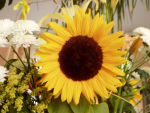
Image d’origine

« Posterize » with 3 levels applied
Cet outil est destiné à pondérer intelligemment les couleurs des pixels de la sélection ou du calque actif et à réduire le nombre de couleur tout en maintenant une ressemblance avec les caractéristiques de l’image d’origine.
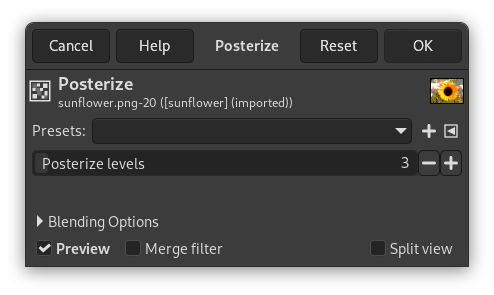
- Pré-réglages, Blending Options, Aperçu, Merge filter, Diviser la vue
-
![[Note]](images/note.png)
Note These options are described in Section 8.1.2, « Fonctions communes aux couleurs ».
- Niveaux de postérisation
-
Ici, « niveau » signifie « nombre de couleurs par canal »
This slider and the input boxes with arrowheads allow you to set the number of levels (2-256) in each RGB channel that the tool uses to describe the active layer. The maximum total number of colors is the combination of these levels. A level to 3 will give 33 = 27 colors.


