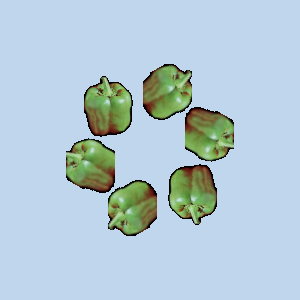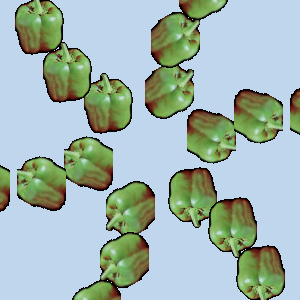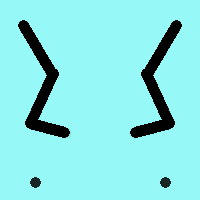
Symmetrisch tekenen wordt ondersteund door op penselen gebaseerde gereedschappen (Potlood, Penseel, Gum, Verfspuit, MyPaint-penseel, Klonen, Smeren, Doordrukken/tegenhouden), als ook het gereedschap Inktpot. Er zijn verscheidene soorten symmetrie, allemaal te configureren.
U kunt dit dialoogvenster openen vanuit het hoofdmenu via: → →
Het dialoogvenster “Symmetrisch tekenen” is dokbaar. Bekijk Paragraaf 2.3, “Koppelen van dialoogvensters” om meer te leren over het concept van dokken.
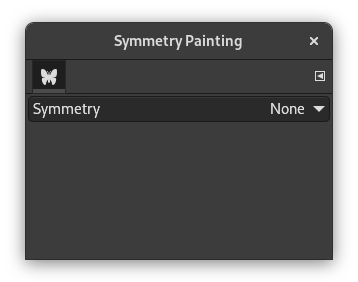
Dit dialoogvenster is heel eenvoudig. U heeft alleen een item Symmetrie met een keuzelijst die vier opties biedt. Zodra u een type symmetrie selecteert, verschijnen assen voor de symmetrie als gestippelde groene lijnen in het afbeeldingsvenster en kunt u beginnen met tekenen met het penseel dat u hebt gekozen.
Opties
- Symmetrie
-
Deze instelling bepaalt het type Symmetrisch tekenen.
- Niets selecteren
-
Dit is de standaard. Het schakelt Symmetrisch tekenen uit.
- Spiegel
-
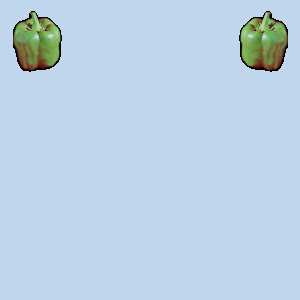
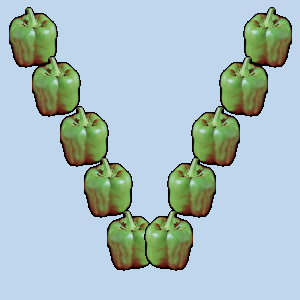
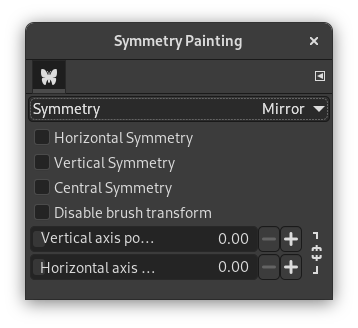
Dit type symmetrie zal alle streken reflecteren zoals in een spiegel. Er zijn verscheidene typen spiegelen. Meer dan een type mag worden geselecteerd.
Opties spiegel
- Horizontale symmetrie
-
Penseelstreken zullen worden gespiegeld langs een horizontale as.
- Verticale symmetrie
-
Penseelstreken zullen worden gespiegeld langs een verticale as.
- Symmetrie rondom centrum
-
Penseelstreken zullen worden omgekeerd via een centraal punt.
- Schakel penseelvervorming uit
-
Wanneer u de tekening transformeert, zal het penseel zelf ook getransformeerd eindigen. Bijvoorbeeld in een gespiegelde transformatie zal niet alleen uw tekening aan de rechterkant van het canvas naar de linkerkant worden gespiegeld, maar het penseel zelf wordt ook “gespiegeld” aan de linkerkant.
Als u wilt dat de getekende lijnen worden gespiegeld (of enige andere transformatie), maar niet de omtrek van het penseel zelf, schakel dan deze instelling in. Uiteraard zult u het effect van deze instelling alleen opmerken als u een penseel gebruikt dat niet symmetrisch is.
- Positie verticale as, Positie horizontale as
-
De standaard positie voor symmetrie-assen is het middelpunt van de afbeelding. Deze schuifbalken stellen u in staat de gebruikte positie te wijzigen voor het spiegelen van uw penseelstreken.
Door te klikken op het pictogram van het slot naast de schuifbalken, kunt u ervoor kiezen of u beide schuifbalken wilt synchroniseren of niet.
- Betegeling
-
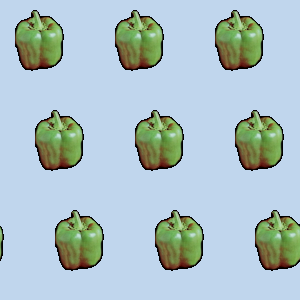
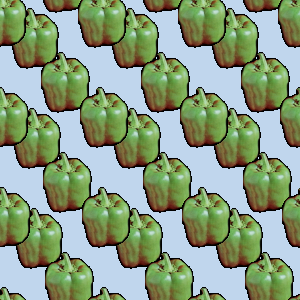
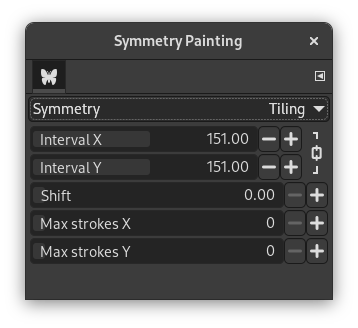
“Betegeling” is een translationele symmetrie, die eindig kan zijn (met een maximum aantal streken) of oneindig. In het laatste geval is dat het perfecte gereedschap om patronen of naadloze tegels te maken.
Deze modus behandelt de afbeelding met streken op gelijkmatige afstanden op de X- en Y-as.
Opties Betegeling
- Interval X, Interval Y
-
Dit zijn de intervallen op de X- en Y-as, in beeldpunten, tussen de middelpunten van elke streek.
- Verschuiving
-
Dit bepaalt de mate van verschuiving tussen lijnen op de X-as, in beeldpunten.
- Max. lijnen X, Max. lijnen Y
-
Dit zijn het maximale aantal penseelstreken op de X- en Y-as die op de afbeelding zullen worden getekend. De standaard is 0, wat betekent dat er geen beperking is.
Door te klikken op het pictogram van het slot naast de schuifbalken, kunt u ervoor kiezen of u beide schuifbalken wilt synchroniseren of niet.
- Mandala
-
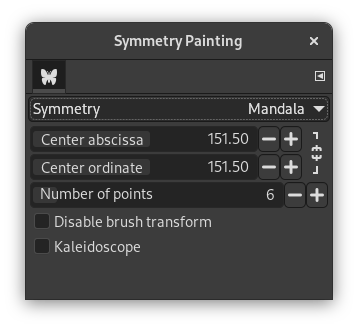
Streken worden rondom het middelpunt getekend, bepaald door de opties hieronder.
Opties Mandala
- Verticale symmetrie-as, Horizontale symmetrie-as
-
Deze coördinaten bepalen het middelpunt rondom welk de streken voor de mandala zullen worden getekend.
Door te klikken op het pictogram van het slot naast de schuifbalken, kunt u ervoor kiezen of u beide schuifbalken wilt synchroniseren of niet.
- Aantal punten
-
Dit bepaalt de hoeveelheid streken die zullen worden uitgevoerd, elke keer als u een penseel gebruikt.
- Schakel penseelvervorming uit
-
Bekijk dezelfde instelling voor symmetrie Spiegel.
- Caleidoscoop
-
Indien ingeschakeld spiegelt het opeenvolgende streken.
Penseel Pepper is geselecteerd. Potlood wordt gebruikt.