Symmetriteikning kan brukast med alle penselbaserte verktøy (blyanten, målarpenselen, viskeleret. MyPaint-penslar, kloning, slør og skjerp, gni ut) og pennen. Det er mange typar symmetri som alle kan setjast opp etter eigne ønskje.
Du får tilgang til dette dialogvindauget frå hovudmenyen via → → .
Dialogvindauget «Symmetriteikning» kan limast inn i andre dialogvindauge. Sjå nærare om dette i Del 2.3, «Dialogvindauge og dokkpanel».
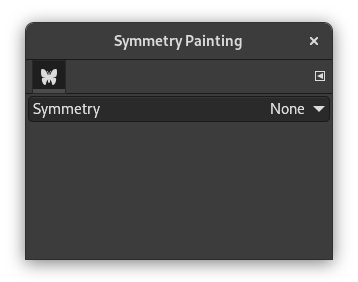
Dette er eit svært enkelt dialogvindauge. Det einaste valet er Symmetri med ei nedtrekksliste med fire val. Når du har merkt av for symmetritype, vert symmetriaksane viste som grøne prikka strekar i biletet. Du kan no teikna med det teikneverktøyet du har vald.
Innstillingar
- Symmetri
-
Innstillingane bestemmer type Symmetriteikning.
- Ingen
-
Dette er standardvalet. Symmetriteikninga er slått av.
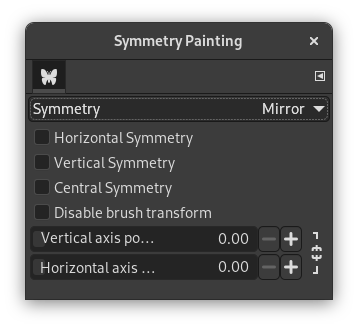
- Spegle
-
Denne symmetritypen vil reflektera alle stroka som i ein spegel. Det er mange ulike speglingar. Du kan velja meir enn éin type.
Innstillingar for spegling
- Vassrett symmetri
-
Penselstroka vert spegla langs ein vassrett akse.
- Loddrett symmetri
-
Penselstroka vert spegla langs ein loddrett akse.
- Midtsymmetri
-
Penselstroka vert inverterte gjennom eit sentralt punkt.
- Slå av penseltransformeringa
-
Når du transformerer teikninga, vert også penselen transformert. Såleis vil for eksempel ei spegeltransformering vil du ikkje berre teikna på den høgre sida av lerretet, men samstundes også på den venstre sida. Penselen vert då «spegelvendt» på den venstre sida.
Slå på denne innstillinga om du vil at dei teikna linjene skal spegelvendast (eller andre transformeringar) men ikkje penselen. Sjølvsagt vert denne effekten synleg berre om du nyttar ein ikkje-symmetrisk pensel.
- Posisjon for loddrett akse, Posisjon for vassrett akse
-
Standard plassering av symmetriaksane er gjennom midten av biletet. Desse glidebrytarane vert brukte for å endra denne for å spegelvenda penselstroka.
Ved å trykkja på låsesymbola ved sida av glidebrytarane, kan du velja om brytarane skal vera synkrone eller ikkje.
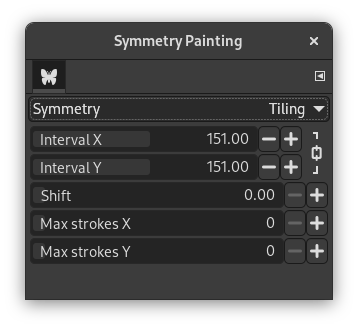
- Flislegging
-
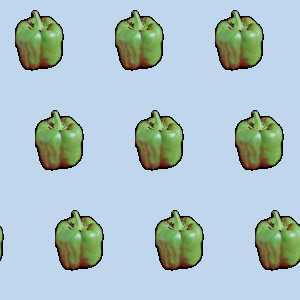
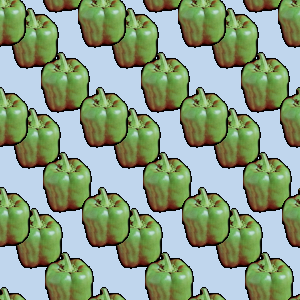
«Flislegging» er ein translasjonssymmetri som kan vera endeleg (med eit høgste tal på strok) eller uendeleg. I det siste tilfellet er det det perfekte verktøyet for å laga mønster eller saumlause fliser.
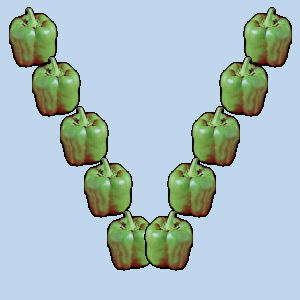
Dette valet gjer at biletet vert dekka av penselstrok med same avstand langs X- og Y-aksane.
Innstillingar for flisleggjing
- Intervall X, Intervall Y
-
Dette er avstanden i pikslar mellom stroksentra langs X-aksen og Y-aksen.
- Forskyv
-
Dette bestemmer kor mykje linjene skal forskyvast i pikslar lang X-aksen.
- Maks strok X, Maks strok Y
-
Dette er det høgste talet på penselstrok på X-aksen og Y-aksen på biletet. Standard er 0, som betyr at det ikkje er noko grense.
Ved å trykkja på låsesymbola ved sida av glidebrytarane, kan du velja om brytarane skal vera synkrone eller ikkje.
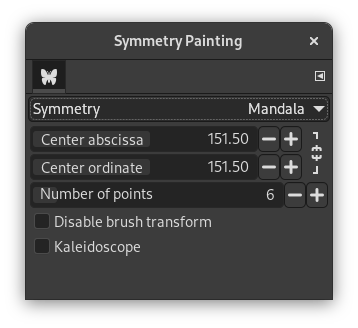
- Mandala
-
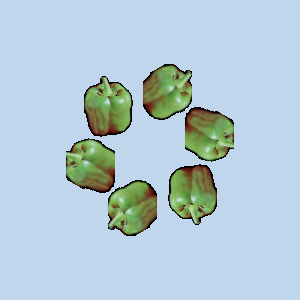
Stroka vert plasserte rund midten, bestemt av innstillingane nedanfor.
Innstillingar for Mandala
- Sentrer abscissen, Sentrer ordinata
-
Desse koordinata bestemmer sentrumet som mandala-stroka vert teikna rundt.
Ved å trykkja på låsesymbola ved sida av glidebrytarane, kan du velja om brytarane skal vera synkrone eller ikkje.
- Talet på punkt
-
Dette bestemmer kor mange strok som penselen skal setja av når du brukar han.
- Slå av penseltransformeringa
-
Sjå dei same innstillingane for Spegel-symmetri.
- Kaleidoskop
-
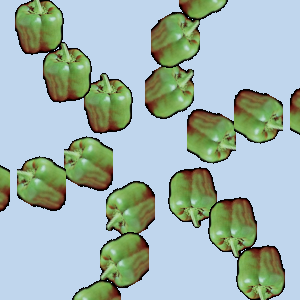
Når denne er slått på vert påfølgjande strok spegla.