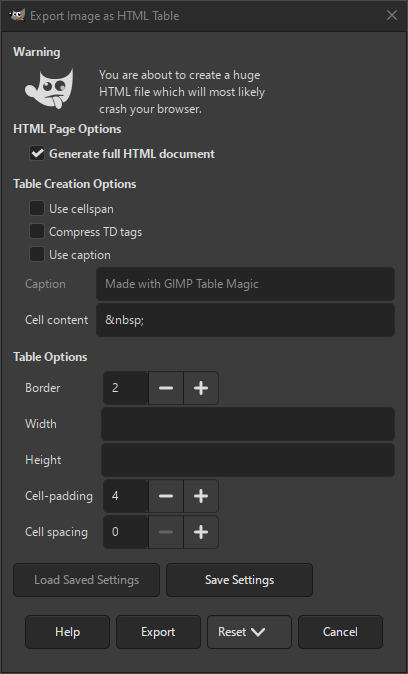
The html table export dialog allows you to export your image as an html file where the image is represented by a table of colored squares. A similar exporter is Colored HTML text.
You can export your image in this format when you choose the «.htm» extension, or explicitly choose «HTML Table» as file type in the export dialog.
![[Застереження]](images/warning.png)
|
Застереження |
|---|---|
|
This generates very large html tables, even for smaller size images. This can slow down or even crash your browser. |
- Параметри HTML-сторінки
-
- Generate full HTML document
-
When checked, a complete html document will be generated, instead of only the html for the table.
- Параметри створення таблиці
-
- Use cellspan
-
If enabled, rectangular sections of identically colored blocks will be replaced by one large cell with
ROWSPANandCOLSPANhtml tags set to the correct size. - Compress TD tags
-
If enabled, no whitespace will be added between the html
TDtags and the cell content. This is only necessary for pixel level positioning control. - Використовувати підпис
-
If enabled, a caption will be added above the table.
- Підпис
-
Enter the text of the caption for the html table here.
- Cell content
-
Enter the text or character to be used as cell content. The default will show up as an empty colored block.
- Параметри таблиці
-
- Рамка
-
The size in pixels of the table border.
- Ширина, Висота
-
Set the dimensions of each table cell here. You can enter the number of pixels or a percentage.
- Інтервал між комірками
-
Об'єм заповнення комірок.
- Інтервал між комірками
-
Об'єм інтервалу між комірками.


