Il formato Cursore Microsoft Windows viene usato su Windows per visualizzare cursori non animati. Supporta diverse dimensioni e profondità di colore.
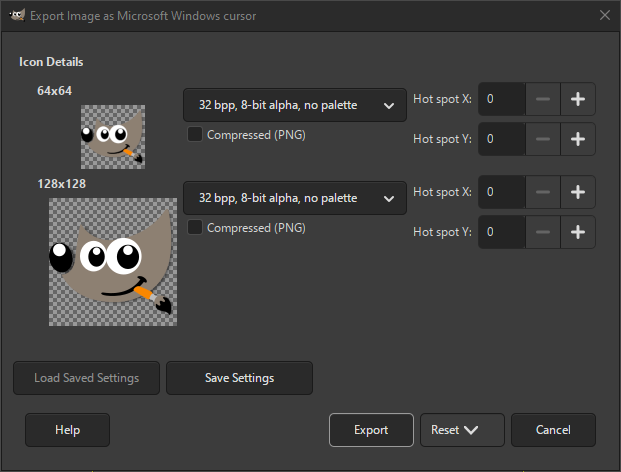
Un formato correlato è icona di Microsoft Windows. La finestra di dialogo di esportazione mostra tutti i cursori disponibili. Per ogni dimensione del cursore, sono disponibili diverse impostazioni che possono essere modificate.
- Salva tipo
-
Per ogni dimensione del cursore è possibile selezionare il formato in cui salvarlo. Le opzioni disponibili sono:
- 1 bpp, 1-bit alfa, 2-colori tavolozza
-
Formato indicizzato con solo due colori.
- 4 bpp, 1-bit alfa, 16-colori tavolozza
-
Formato indicizzato con solo sedici colori.
- 8 bpp, 1-bit alfa, 256-colori tavolozza
-
Formato indicizzato di massimo 256 colori.
- 24 bpp, 1-bit alfa, senza tavolozza
-
Per RGB senza canale alfa.
- 32 bpp, 8-bit alfa, senza tavolozza
-
Il formato più comune è RGB con canale alfa.
- Compresso (PNG)
-
Se selezionata, le icone vengono salvate come immagini PNG compresse. Si noti che non tutti i programmi supportano la lettura di questo tipo di icone.
- X punto attivo, Y punto attivo
-
Questi valori impostano la posizione del punto attivo per questo cursore.


